01
Add the stay
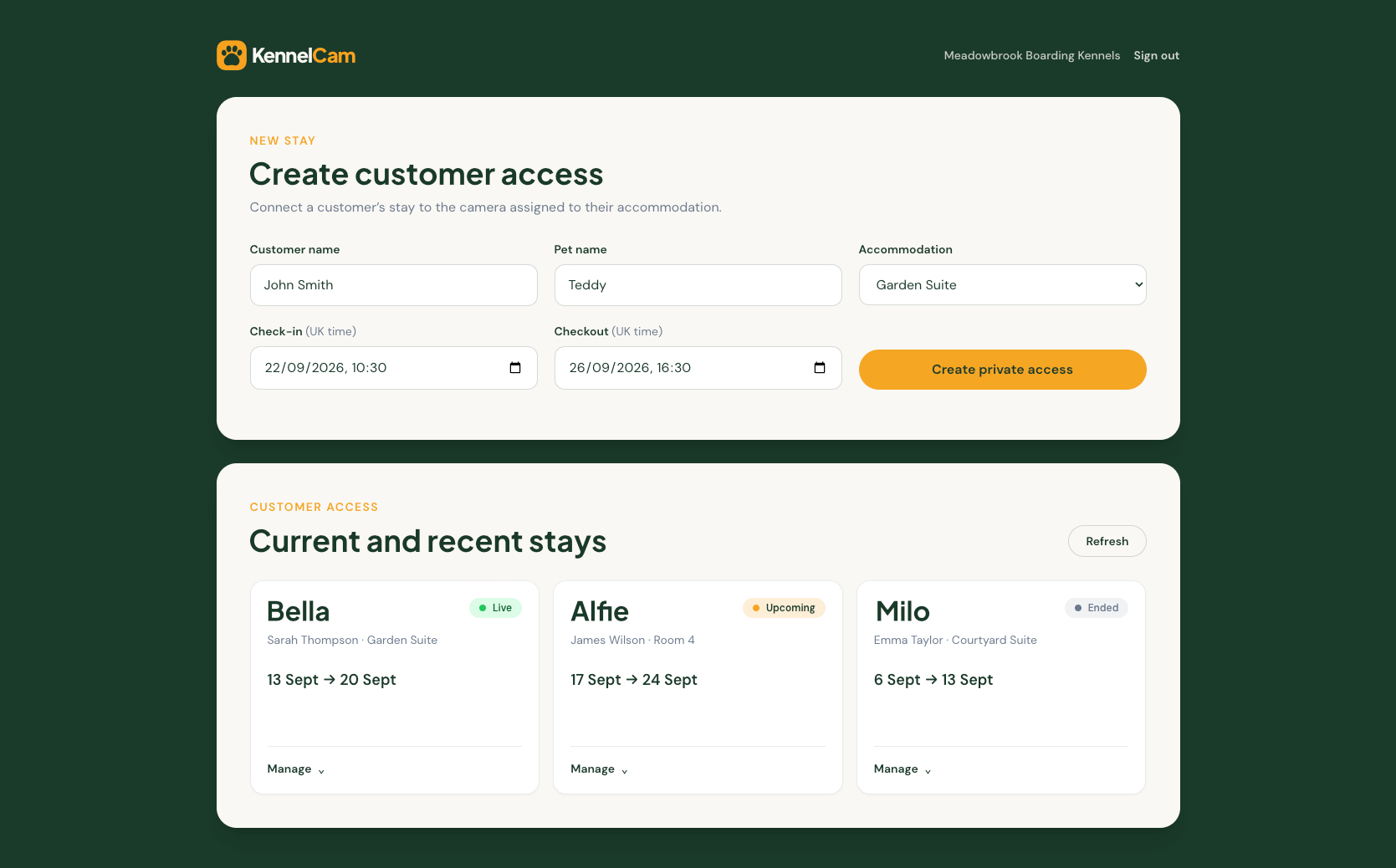
The customer’s stay provides the basic context KennelCam needs: who is staying and when. During the early product stage, kennel staff can create this context.

How KennelCam works
KennelCam connects a customer’s stay to the camera associated with their accommodation, giving them private access while their pet is boarding with you.
The customer gets a simple viewing experience. The kennel stays in control.
Customer stay
Accommodation
Assigned camera
Private access
A customer’s stay is connected to the camera associated with their accommodation.
The journey
01
The customer’s stay provides the basic context KennelCam needs: who is staying and when. During the early product stage, kennel staff can create this context.
02
Staff select where the pet is staying. The camera is associated with the accommodation, so staff do not need to choose or type a camera every time.
Bella → Garden Suite
The camera is already associated with the accommodation.
03
KennelCam creates customer access for that stay. The customer receives private viewing access with the appropriate controls.
04
The customer can view only the camera associated with their stay during the permitted period. Access ends automatically, and staff can revoke it earlier when required.
For the kennel
The workflow is simple: customer, pet, accommodation, stay dates, then create private access.
Customer → Pet → Accommodation → Stay dates → Create private access
The accommodation determines the camera.
For the pet owner
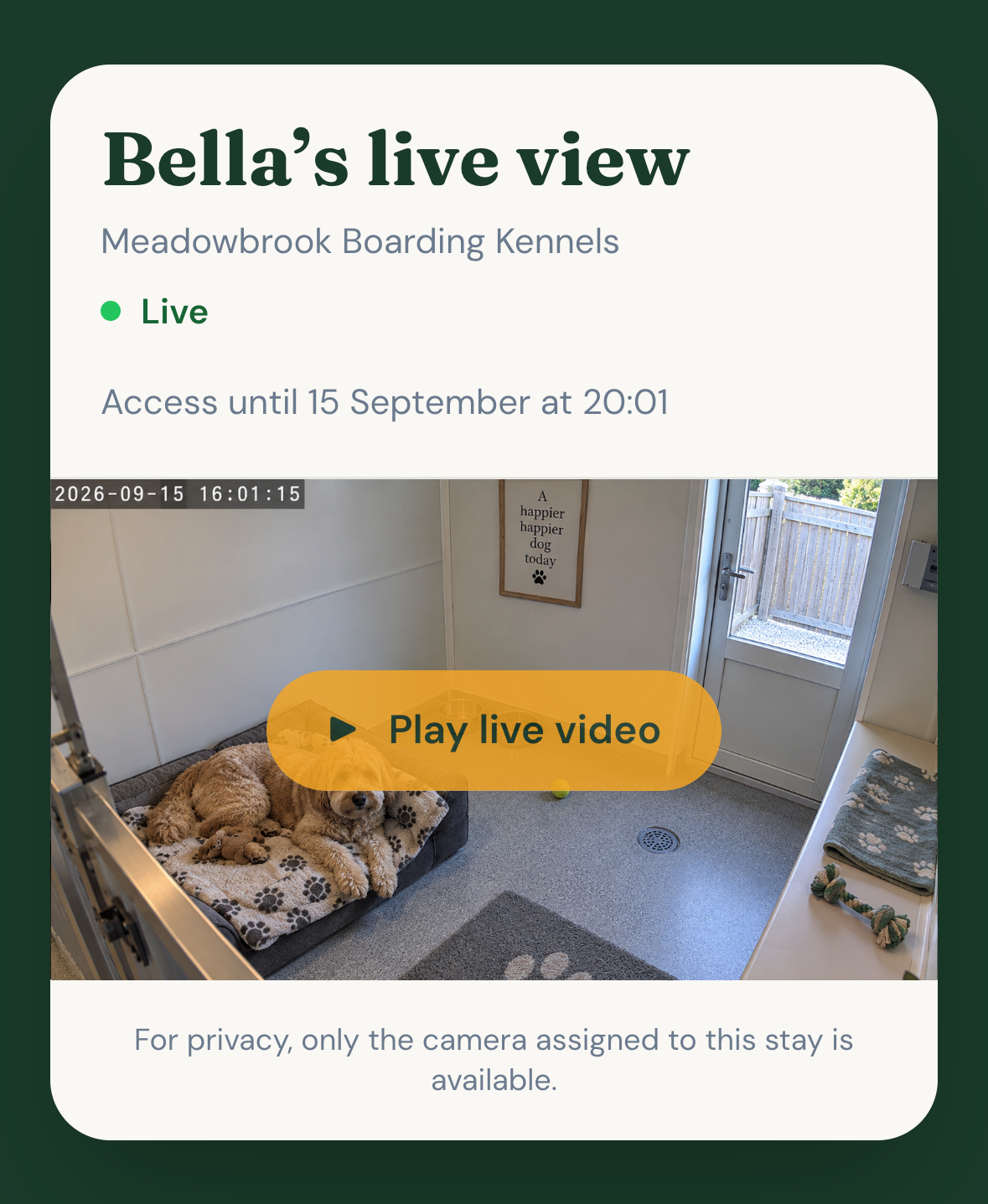
The customer receives private access, enters the required access information, opens a live view and can view during the permitted period.
Bella’s live view
Garden Suite
✓ Assigned camera only
Bella’s customer sees only the camera assigned to her stay.
Privacy by design
The kennel can see multiple accommodation cameras. The customer sees only the camera assigned to their stay.
Temporary by design
KennelCam is designed around temporary access that ends with the stay.
Stay is planned
Access is ready for the permitted period.
Customer can view
Only the assigned camera is available.
Access expires
The viewing period has finished.
Where we’re heading
KennelCam is being designed so a booking platform could eventually provide stay information automatically.
The customer access layer
KennelCam doesn’t replace your CCTV. It adds the customer-access layer around it.
YOUR CCTV
KENNELCAM
CUSTOMER
A simple, private way to check in during their pet’s stay.
Questions, answered
No. KennelCam is designed so customer access is limited to the camera associated with their stay.
The intended model associates the camera with the accommodation, so selecting the accommodation determines the appropriate camera.
Customer access is designed to expire automatically at the configured end of the viewing period.
Yes. Kennel staff retain control and can revoke customer access where required.
Booking-system integration is an important direction for KennelCam. During the early product stage, do not assume an integration exists unless it is specifically confirmed.
Explore a customer-access experience designed around the stays your team already manages.